Run the night.BELONG keeps track of everything behind it.

Events, guests, partners and money, plus a teammate in your group chat who knows all of it. On your Mac, your iPhone and the web.

The real apps. Every tap is a real tap.Narrated · 1:20

One night, from load-in to the morning after.

Here is a night at Bright Harbor, a demo business, and what BELONG does at each cue. Everything you see is the real app.

See what’s left before the doors open.

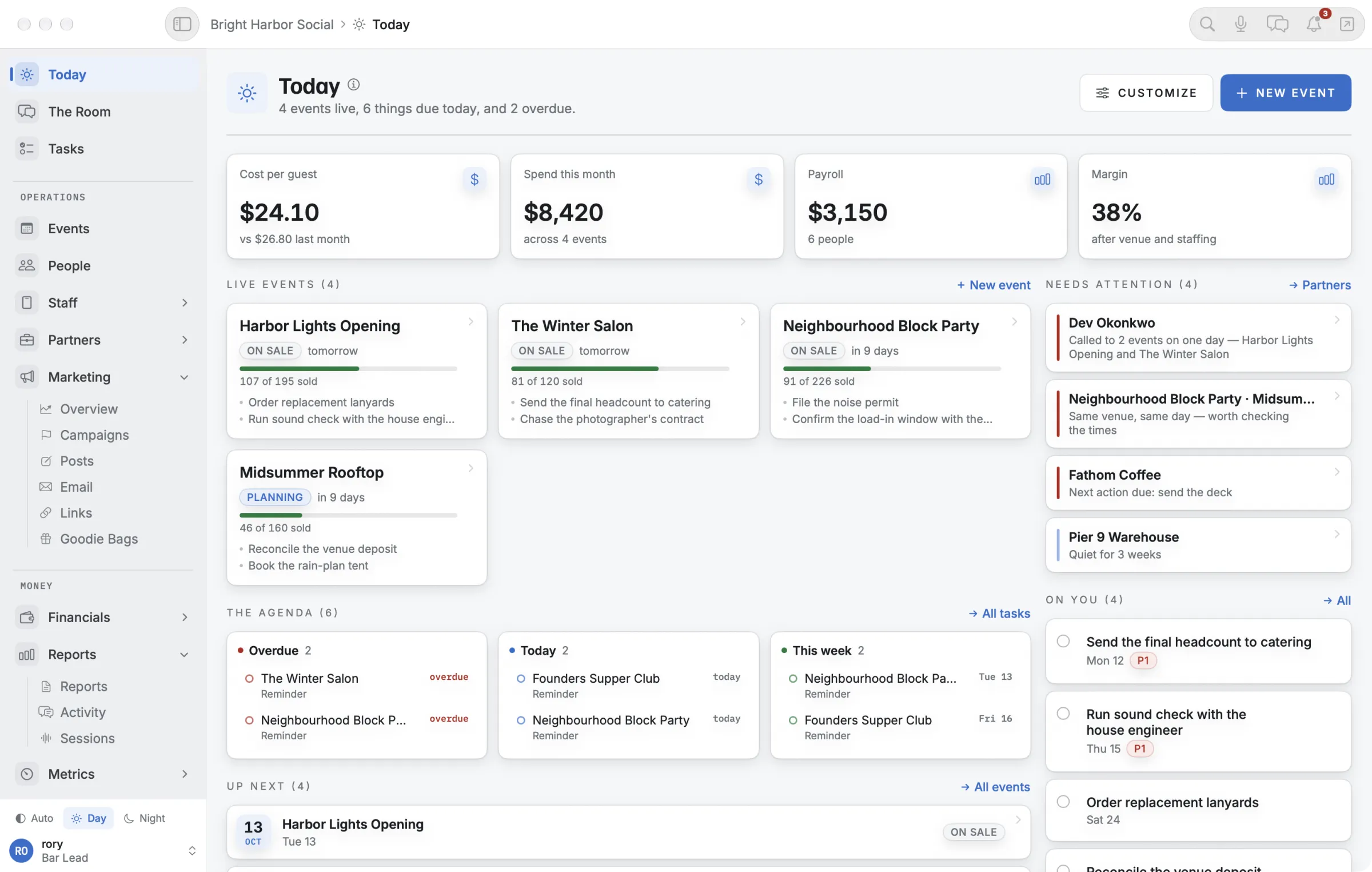
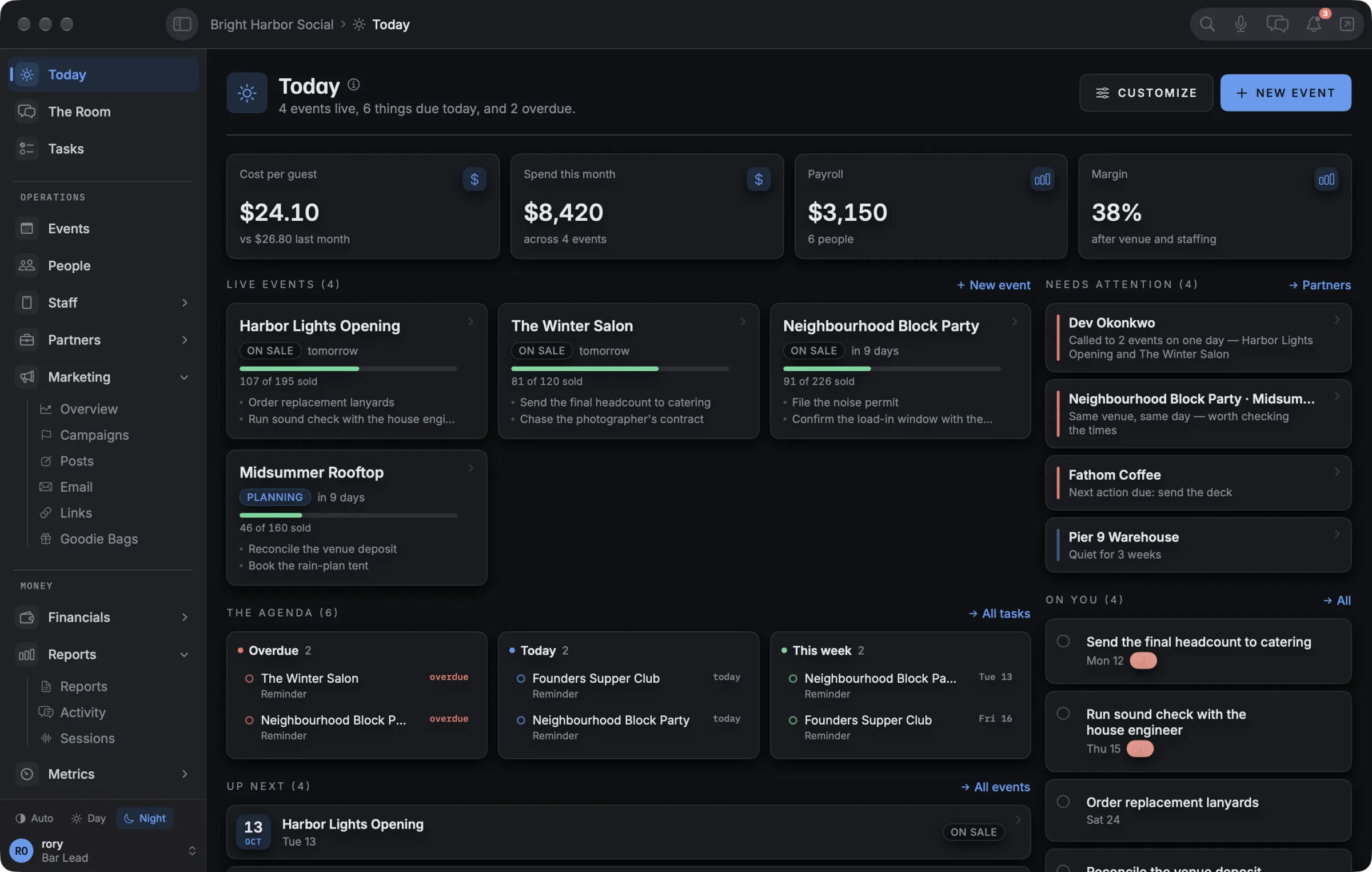
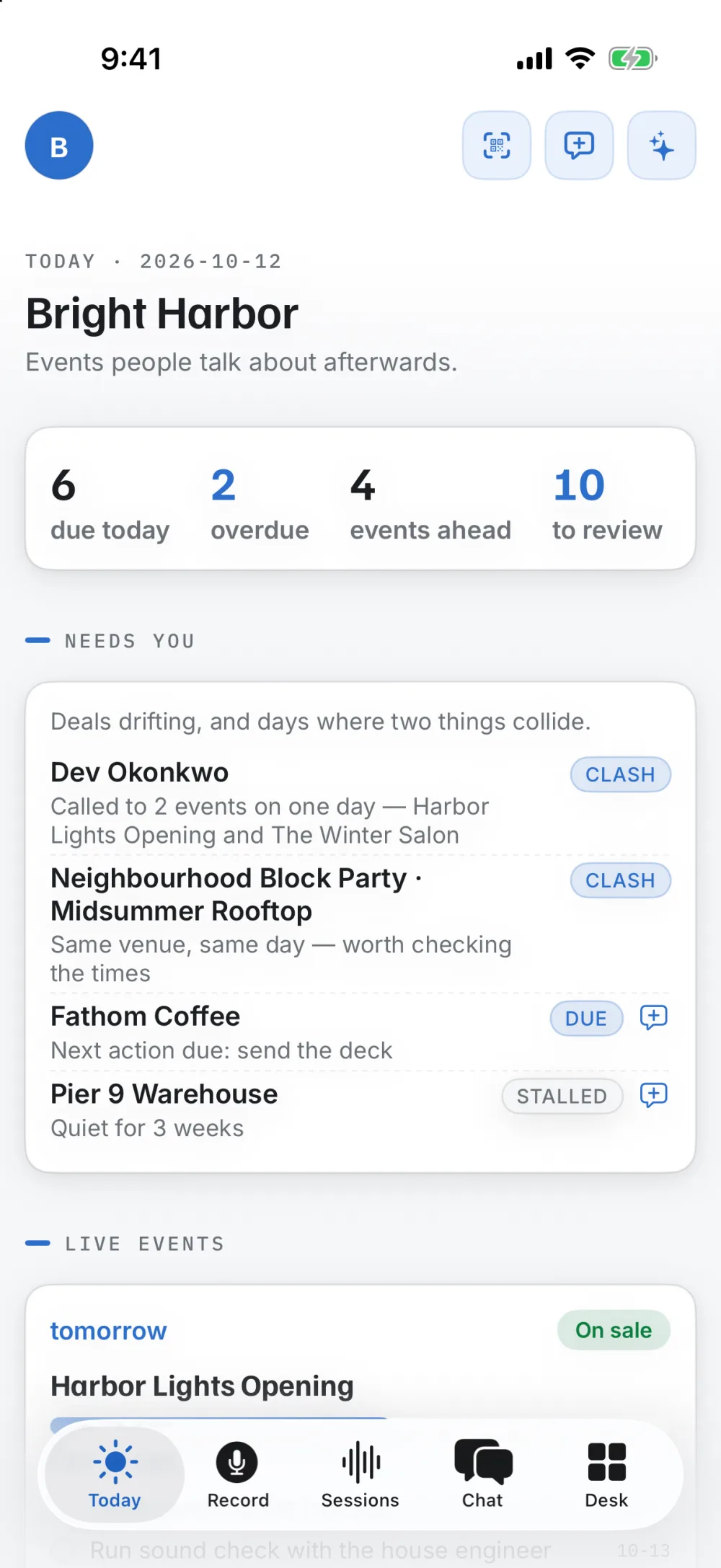
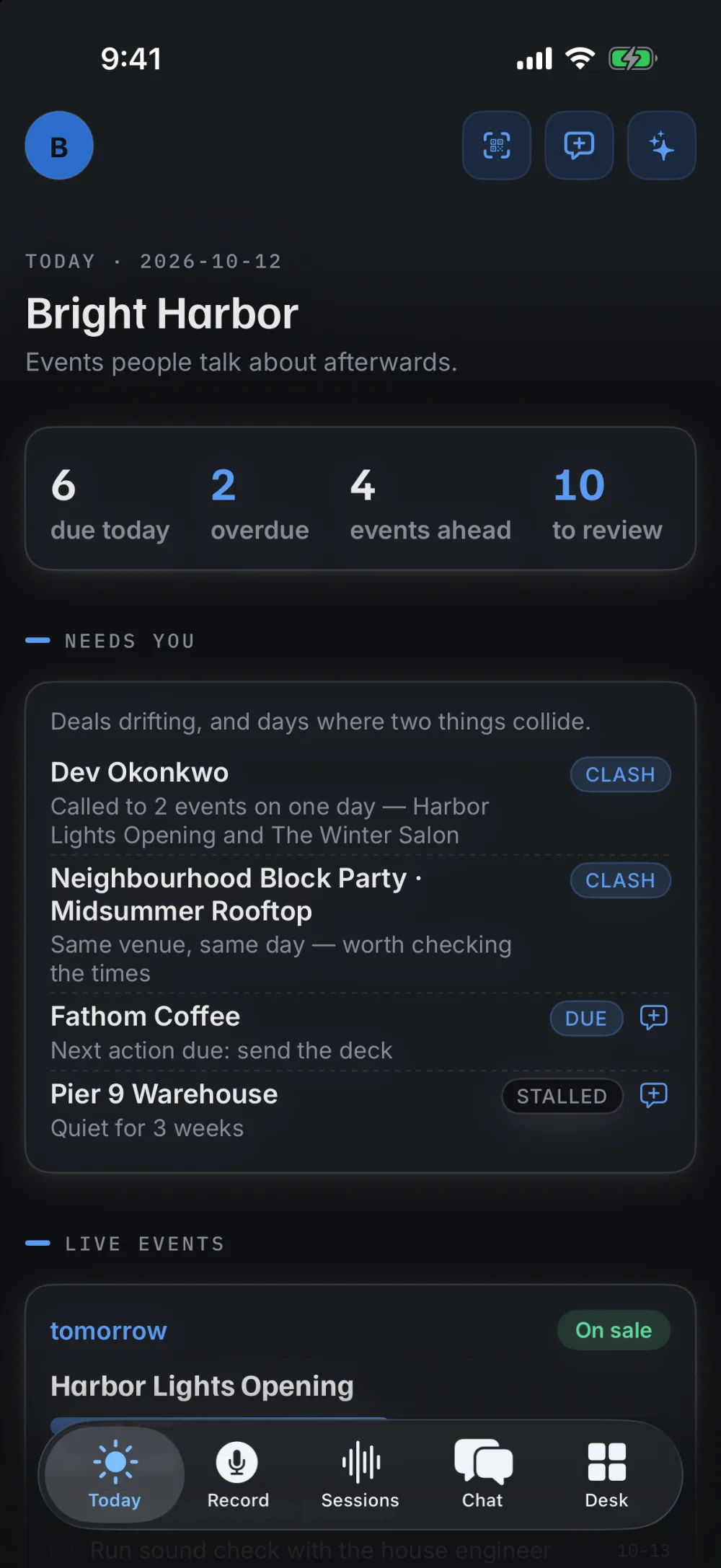
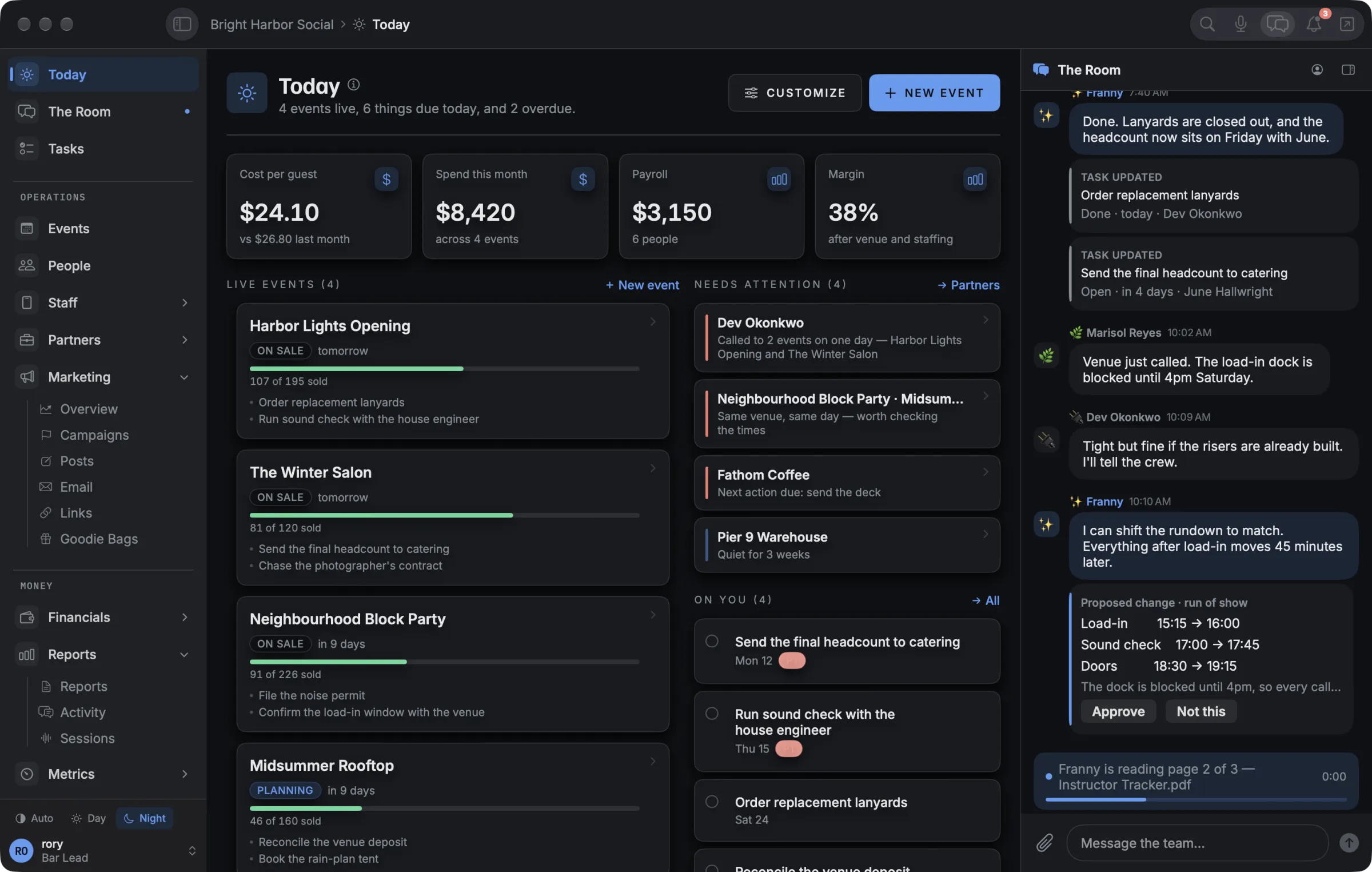
Today puts every live event, what’s due, what’s late and what needs you on one screen. When one person is booked on two events the same day, or two events land in the same room, it says so before anyone finds out at the door.

Today on the Mac: four live events, the agenda, what needs attention and the tasks on you.
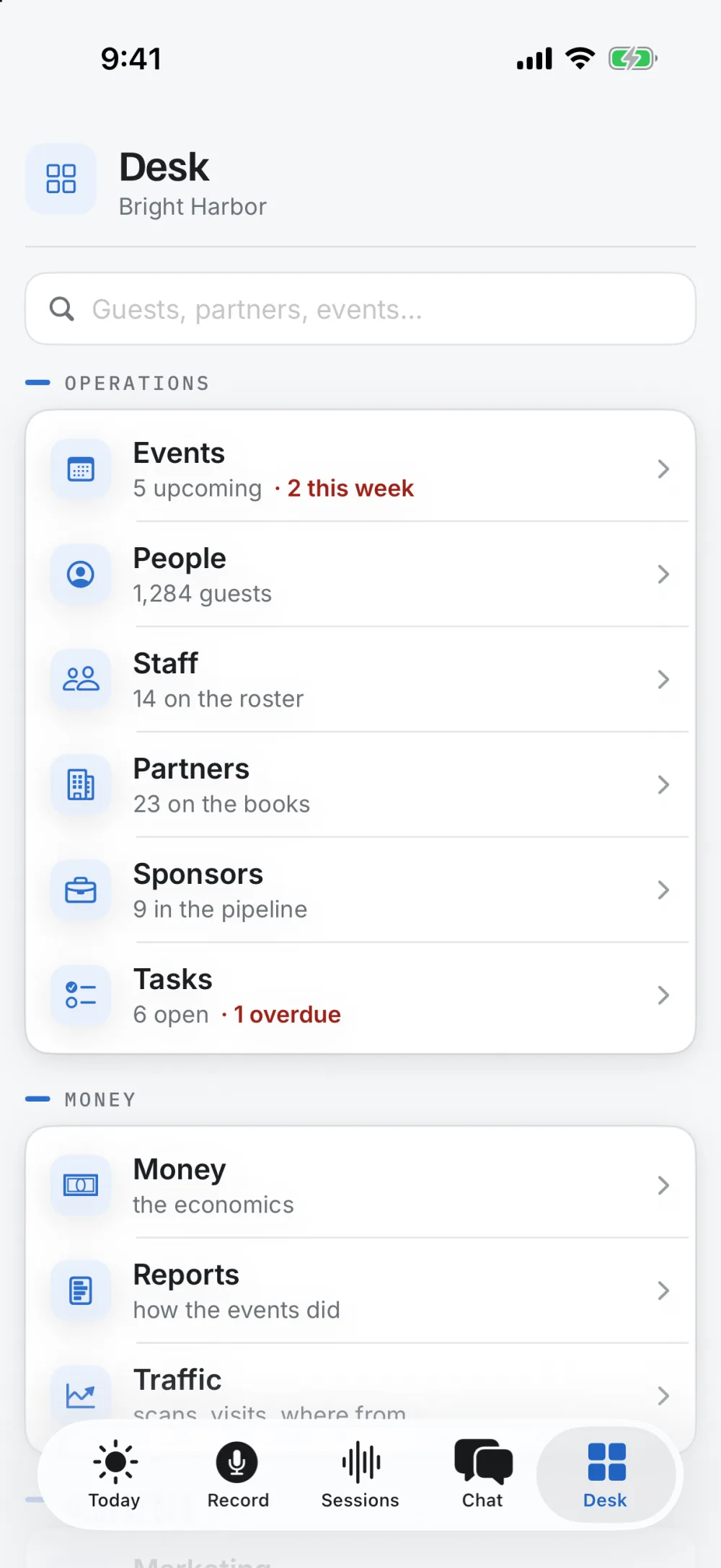
Today on the iPhone: due today, overdue, and two clashes flagged.

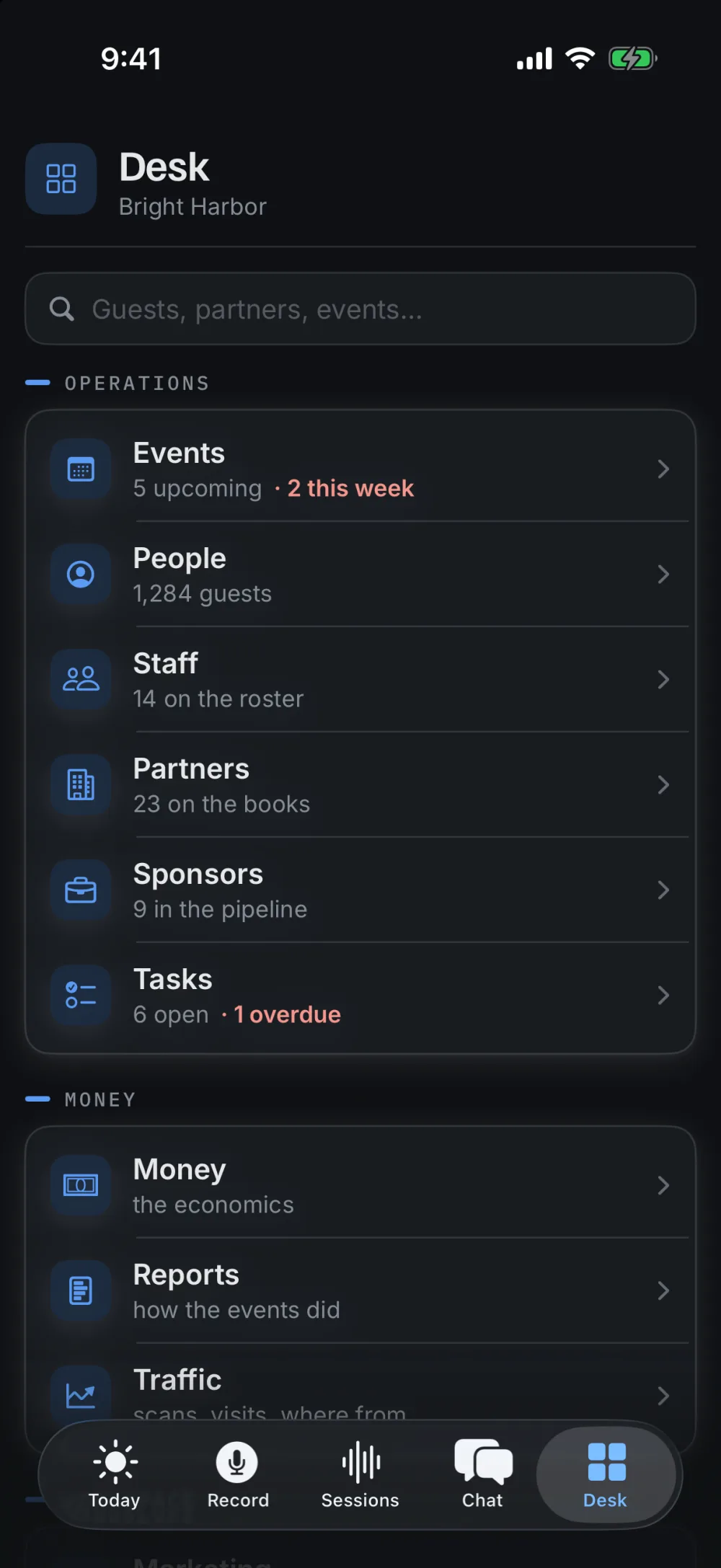
Today, on the Mac and the iPhone

Your teammate is in the group chat.

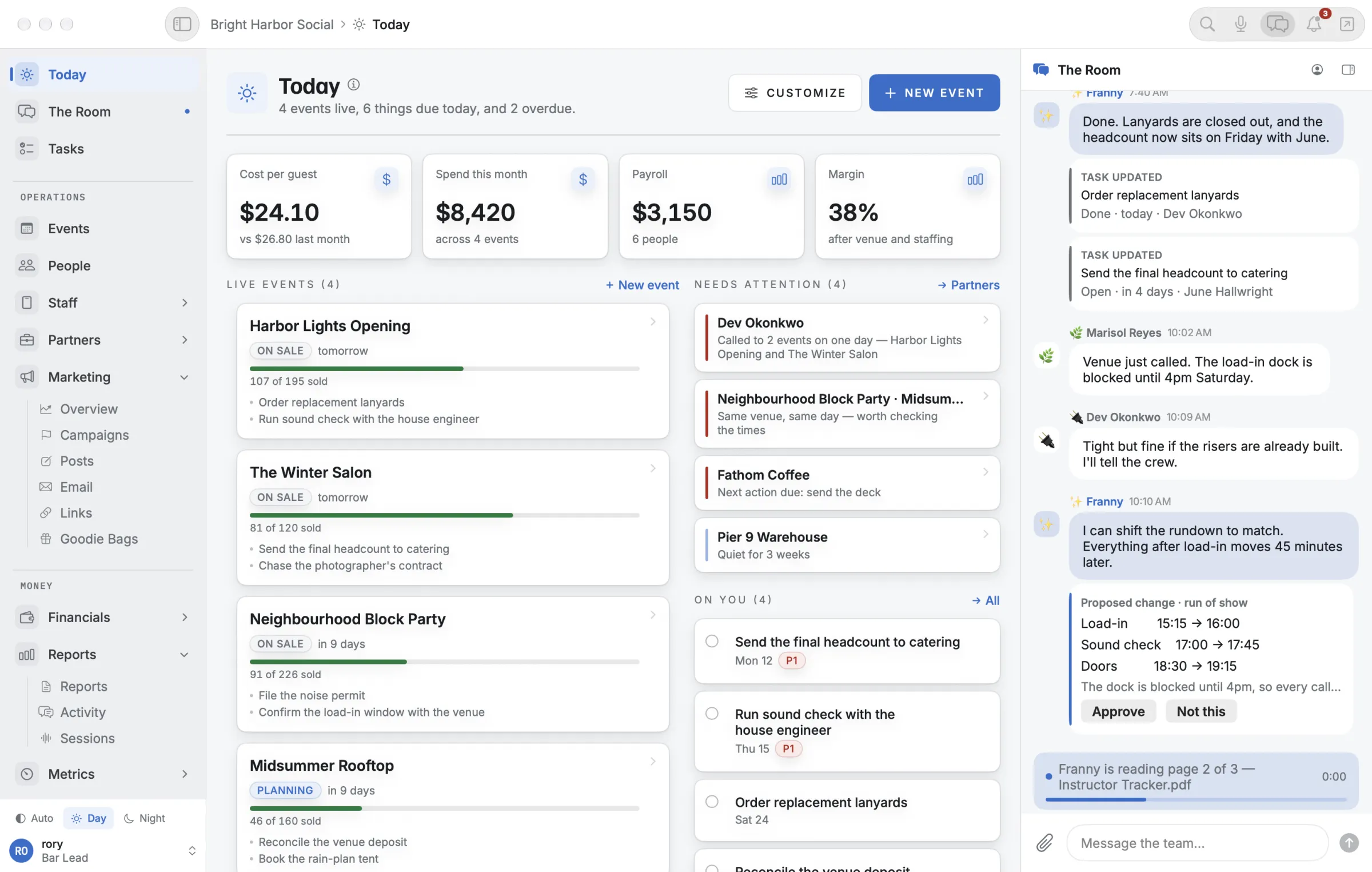
The Room is one chat for your whole team, on every device, and your AI teammate is a member. You name it. It answers from your own records, picks up the work you hand it, and when it wants to change something it shows you exactly what would change. You tap Approve or Not this.

  • Asks firstChanges arrive as a card with the before and after.
  • Can be undoneEvery change it makes is on a record with an Undo.
  • Learns your noTell it why, and it remembers next time.
The Room docked beside Today on the Mac, with a proposed change to the run of show.

The Room: approving a change to the run of show

Check people in, even when the signal drops.

Find a guest by name, or scan the QR code on their ticket, and they’re in. The count climbs as you go. If the venue’s wifi gives out, check-ins wait on the phone and catch up on their own when it’s back.

The Desk on the iPhone: every part of the business, one tap away.

Checking guests in at the door, on the iPhone

The whole event, in one place.

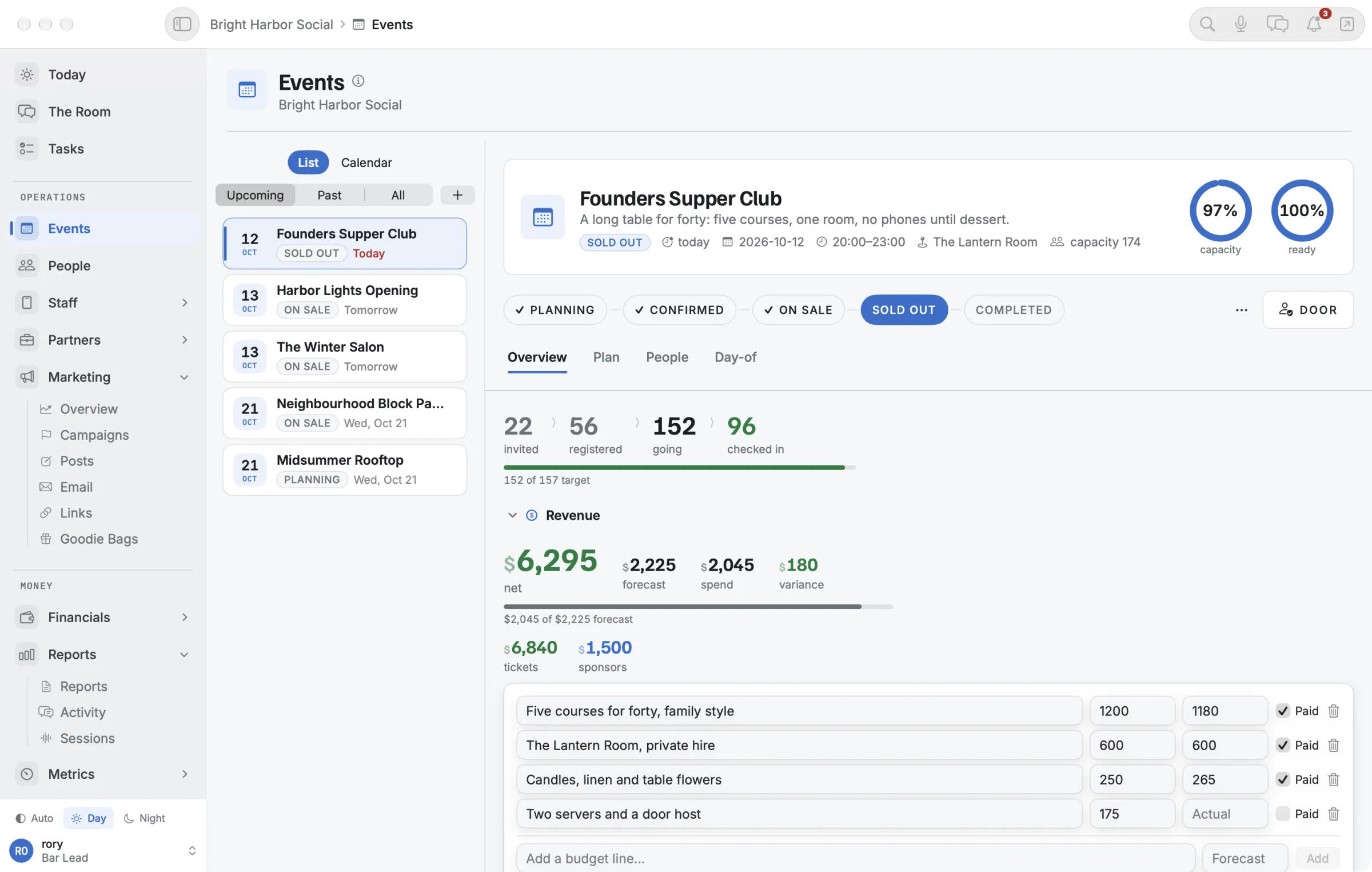
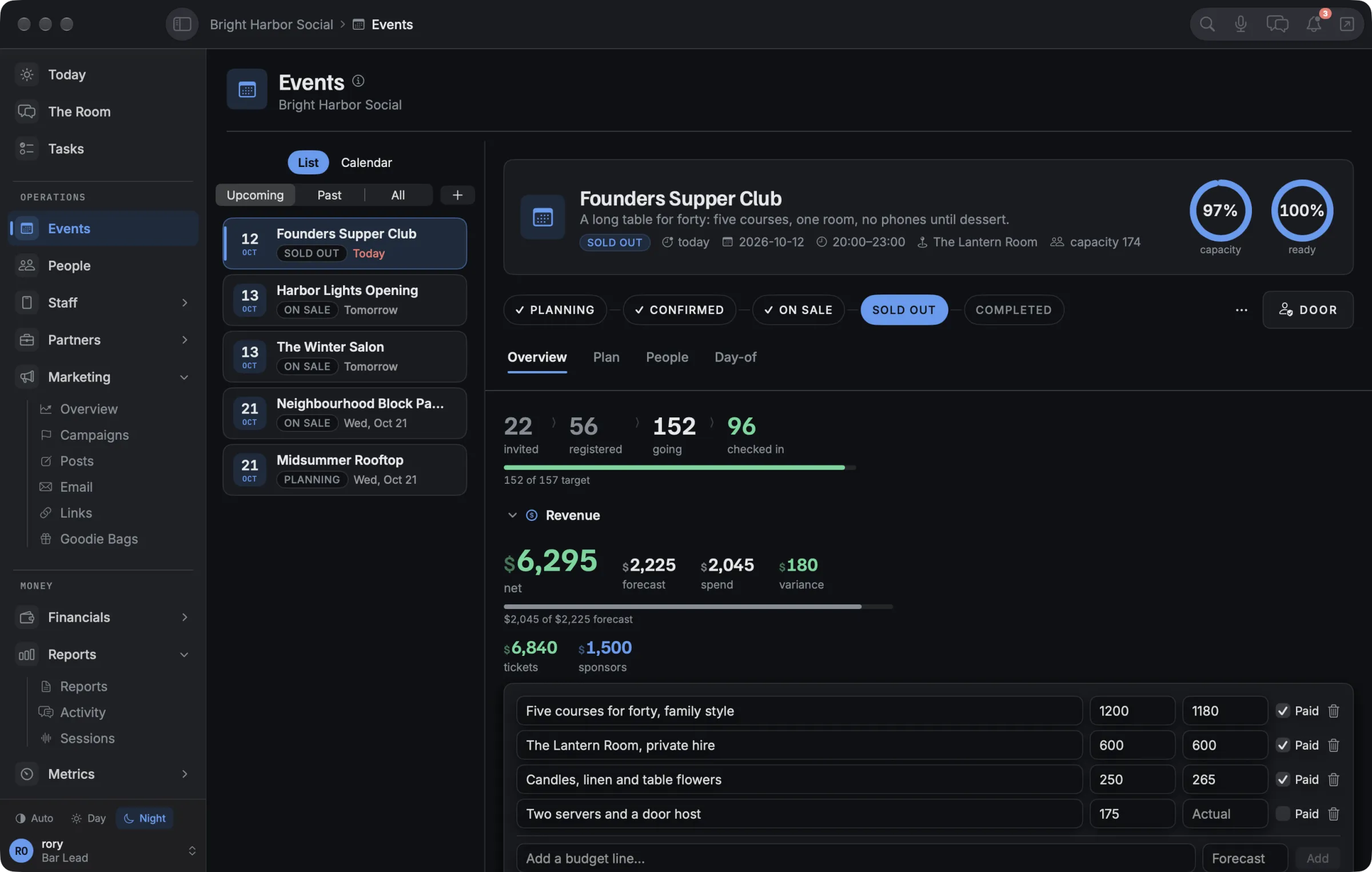
Tickets against capacity, revenue against the forecast, the budget line by line, staff, vendors, and a run of show with a rain plan ready. On the Mac, Show mode shows the time left and what’s next.

An event on the Mac: invited, registered, checked in, revenue against forecast and the budget line by line.

An event, on the Mac

Know if the night made money.

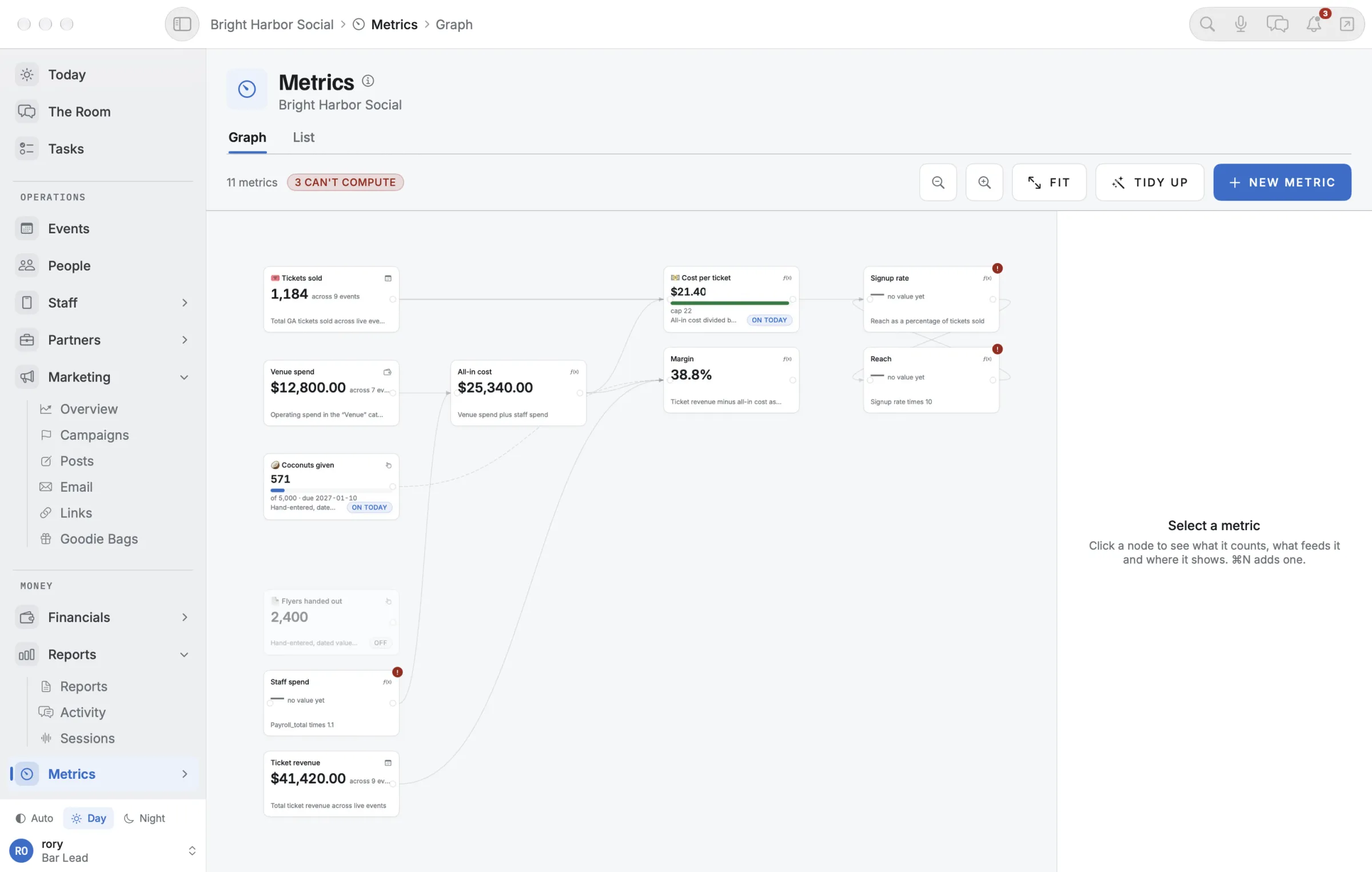
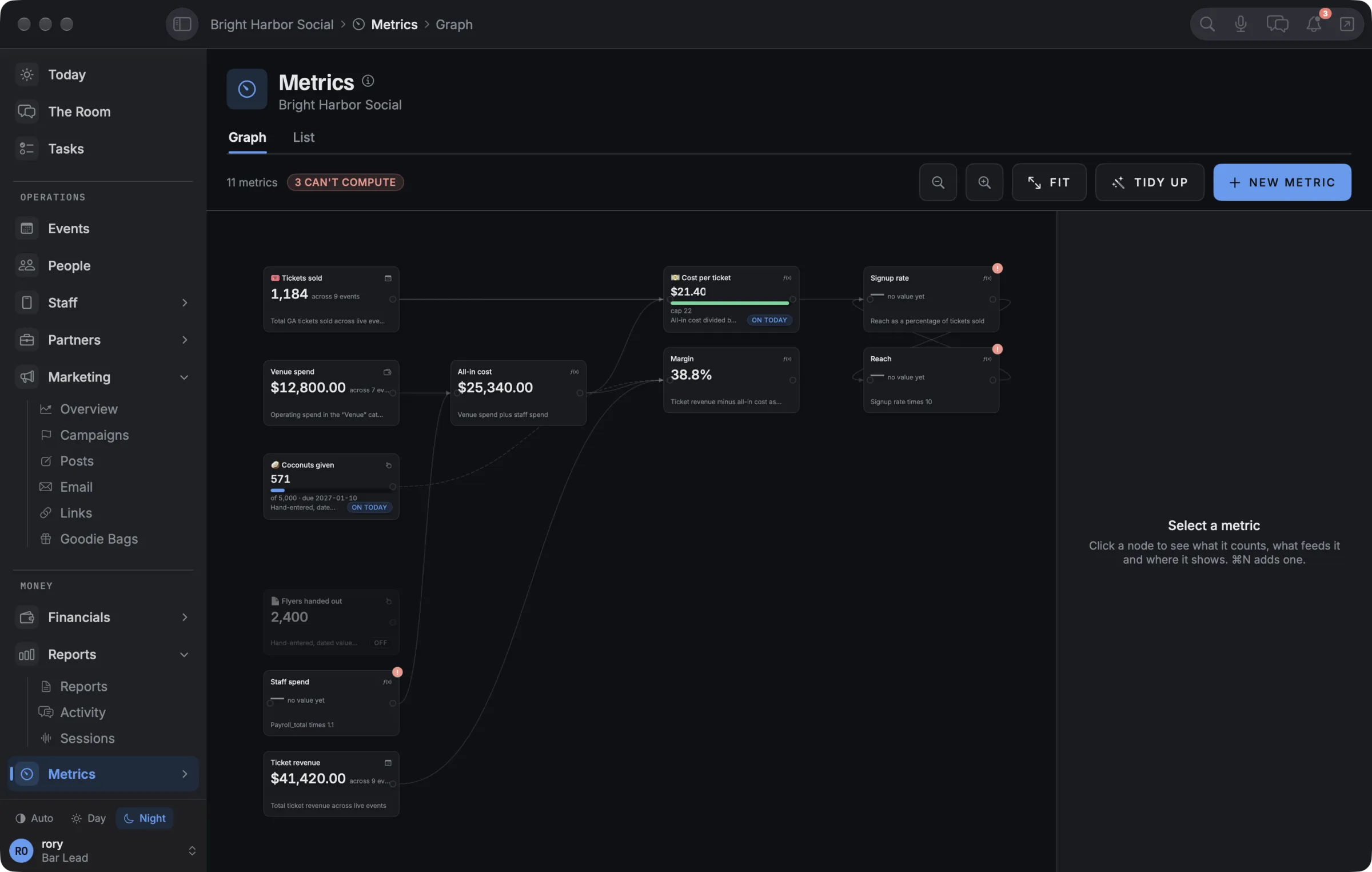
Costs and income on one ledger. Cost per guest and margin worked out for you, staff hours turned into payroll, and your Mercury account mirrored in so nothing gets typed twice. Every number you care about can be a metric with a goal, built from the others with a formula.

The metrics graph on the Mac: every number the business tracks, wired together by formulas.

Metrics, on the Mac: every number you track and how they connect

Talk it through on the way home.

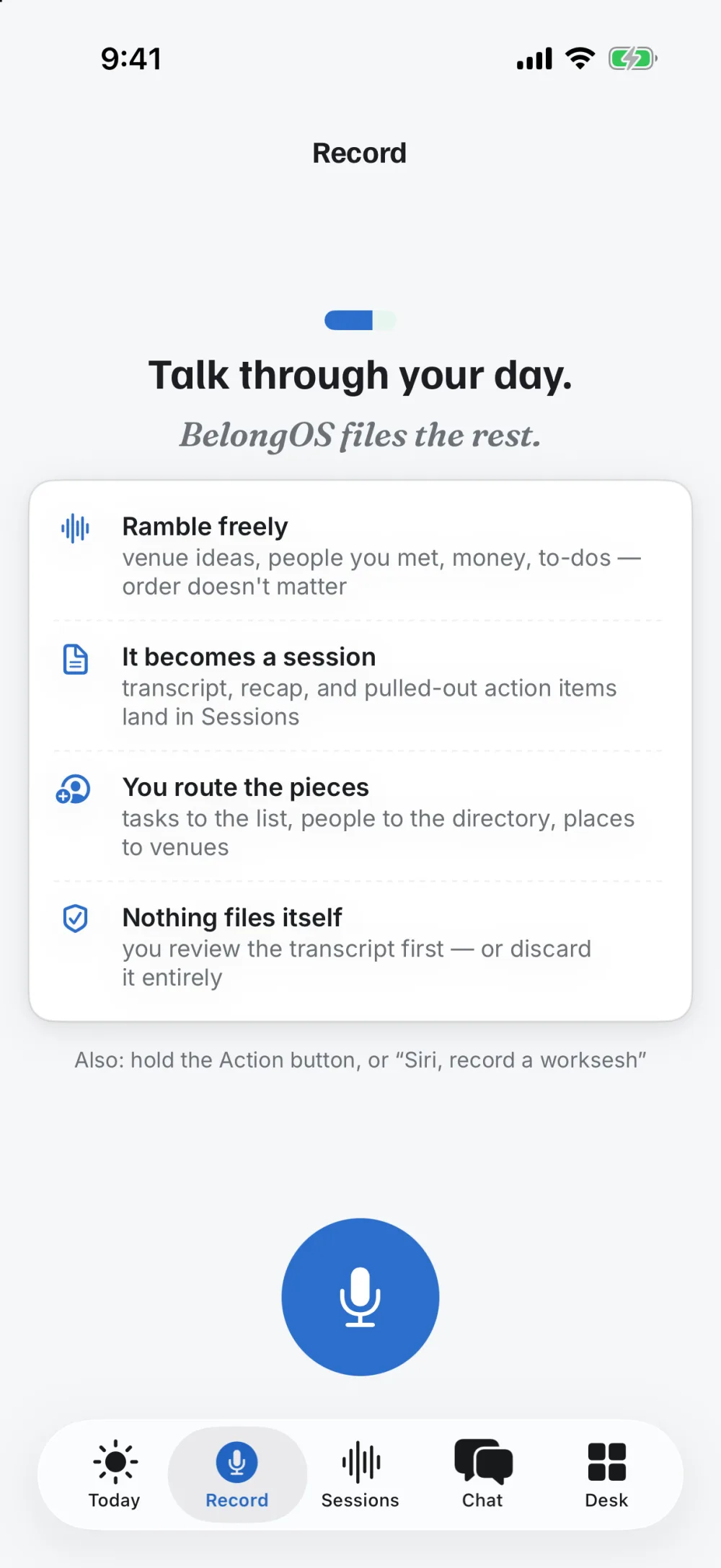
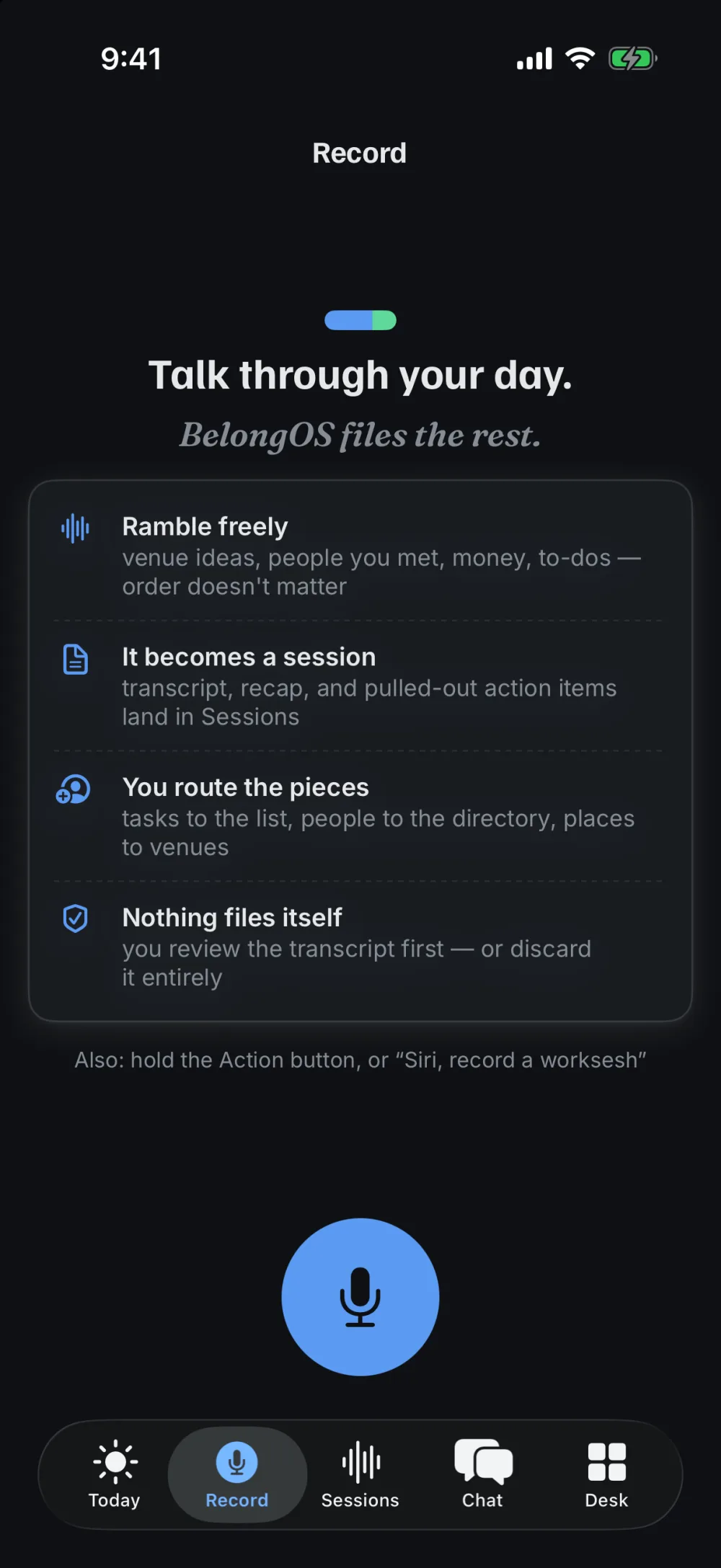
Hit Record and ramble: who you met, what broke, what’s next. It becomes a session with a recap, the things that need to happen, open questions, and the people and places you mentioned. Nothing files itself. You send each piece where it belongs with a tap.

Record on the iPhone: talk through your day and BelongOS files the rest.

A recorded session becoming tasks, on the iPhone

Wake up to what needs you.

What’s due, what’s overdue, the deals that have gone quiet, and on Mondays a note from your teammate with the numbers against your goals and the one thing it would do next.

Today and Tasks, on the iPhone

Three ways in.

The same nights, run by different people.

You bring the people.

Organizers and communities. Supper clubs, run clubs, socials, series. BELONG takes the ops off your plate so the night is the part you think about.

  • Landing pages with sign-up and QR tickets
  • Guests remembered from one event to the next
  • Sponsors, budgets and follow-ups in one place
You have the room.

Venues and hospitality. Hotels, restaurants, bars. Programming your quieter nights is a revenue line that doesn’t lean on the bar tab, and BELONG runs the events, partners and numbers behind it.

  • Clashes flagged when two events share a room
  • Vendors, talent and partners on one roster
  • Cost per guest and margin for every night

You run it for someone else.

Planners and agencies. Every event can belong to a client, and the tickets, staff, run of show and every cost follow it without anything typed twice.

  • Income itemised like costs, invoiced and paid
  • Your own names for ticket tiers
  • Guest lists that know whose guests they are

Mac, iPhone and the web. One record.

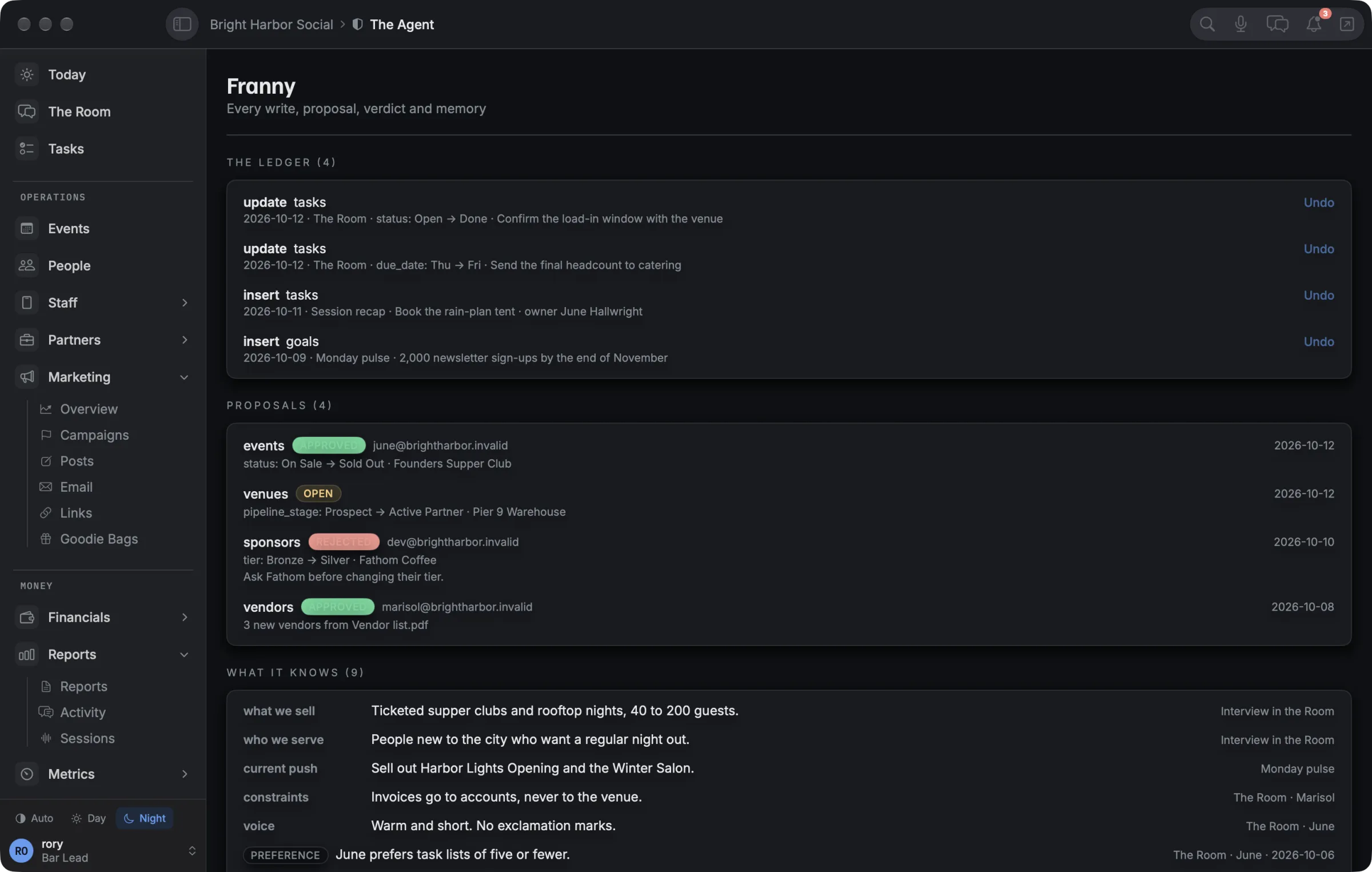
Check someone in on your phone at the door and the Mac in the office sees it too. Day and Night, everywhere.

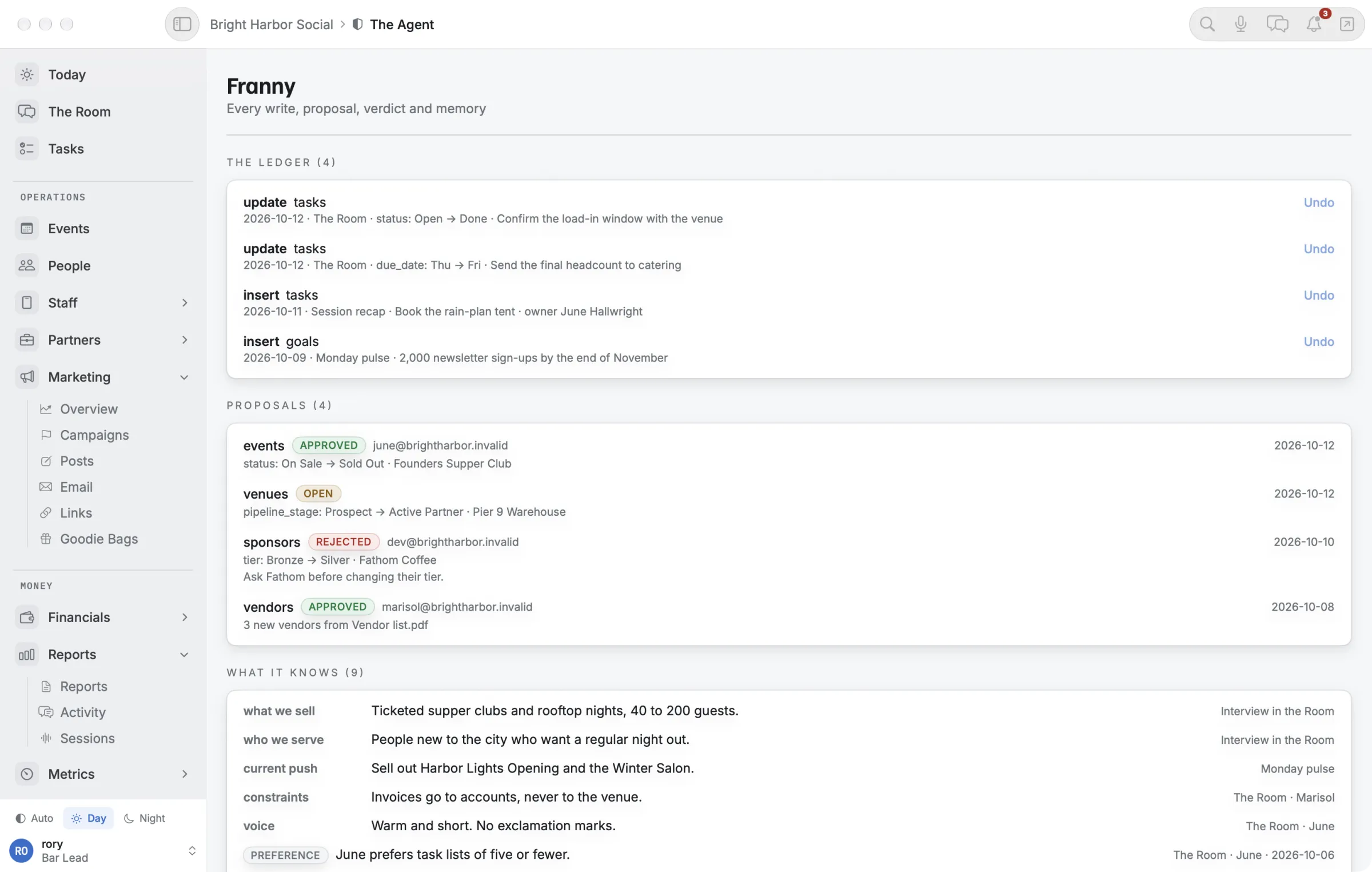
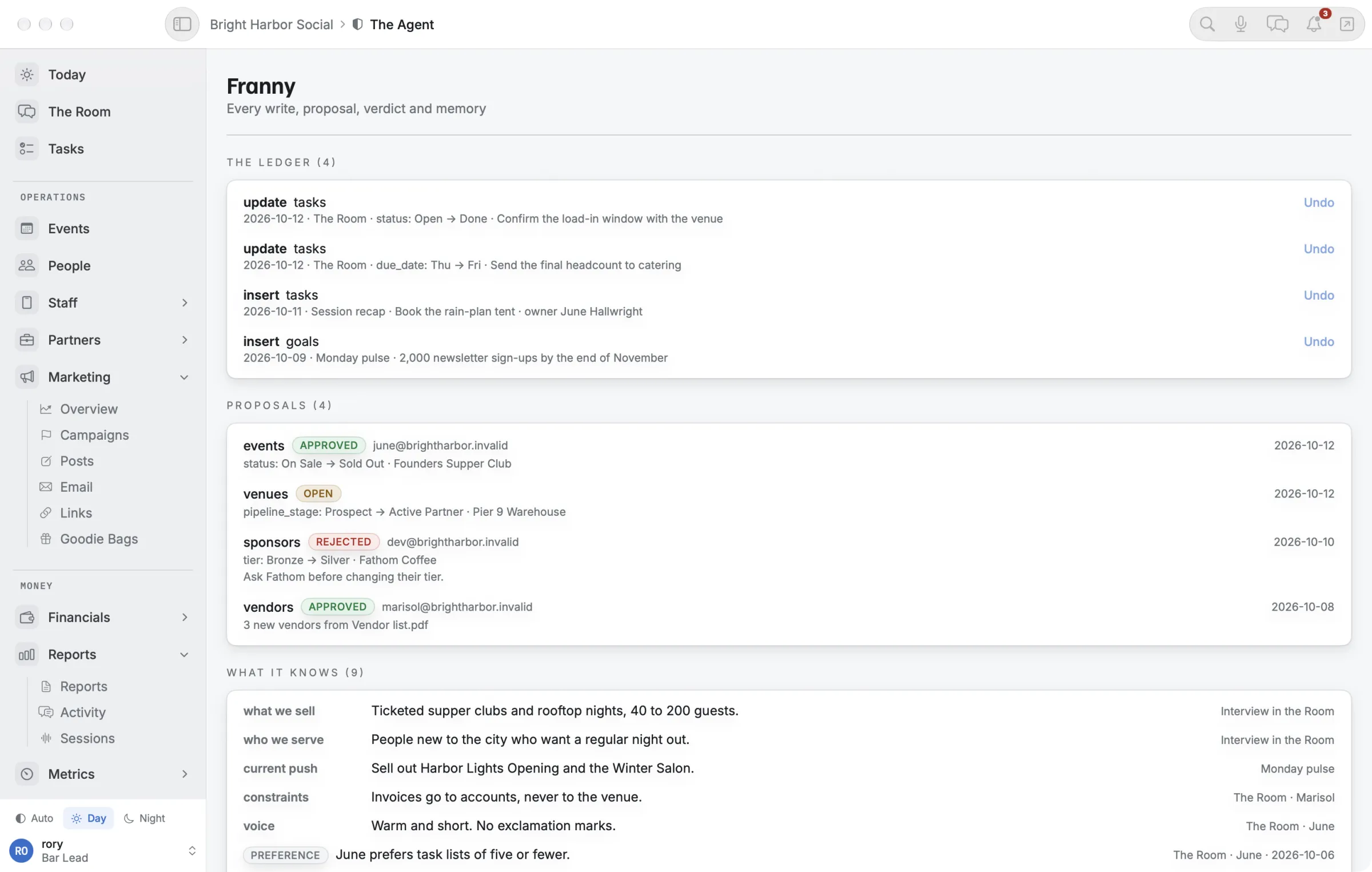
The agent's record on the Mac: every change it made, with Undo.

Mac

The command center. ⌘K finds anything, the Room docks beside your work, and the menu bar tells you what’s on you. Plus the metrics graph, and Show mode for the night itself.

Members: download for Mac →
The Desk on the iPhone.

iPhone

The field kit. Today, the door, Record, the Room, receipts from the camera, and Siri: “Ask BelongOS” reads you the answer.

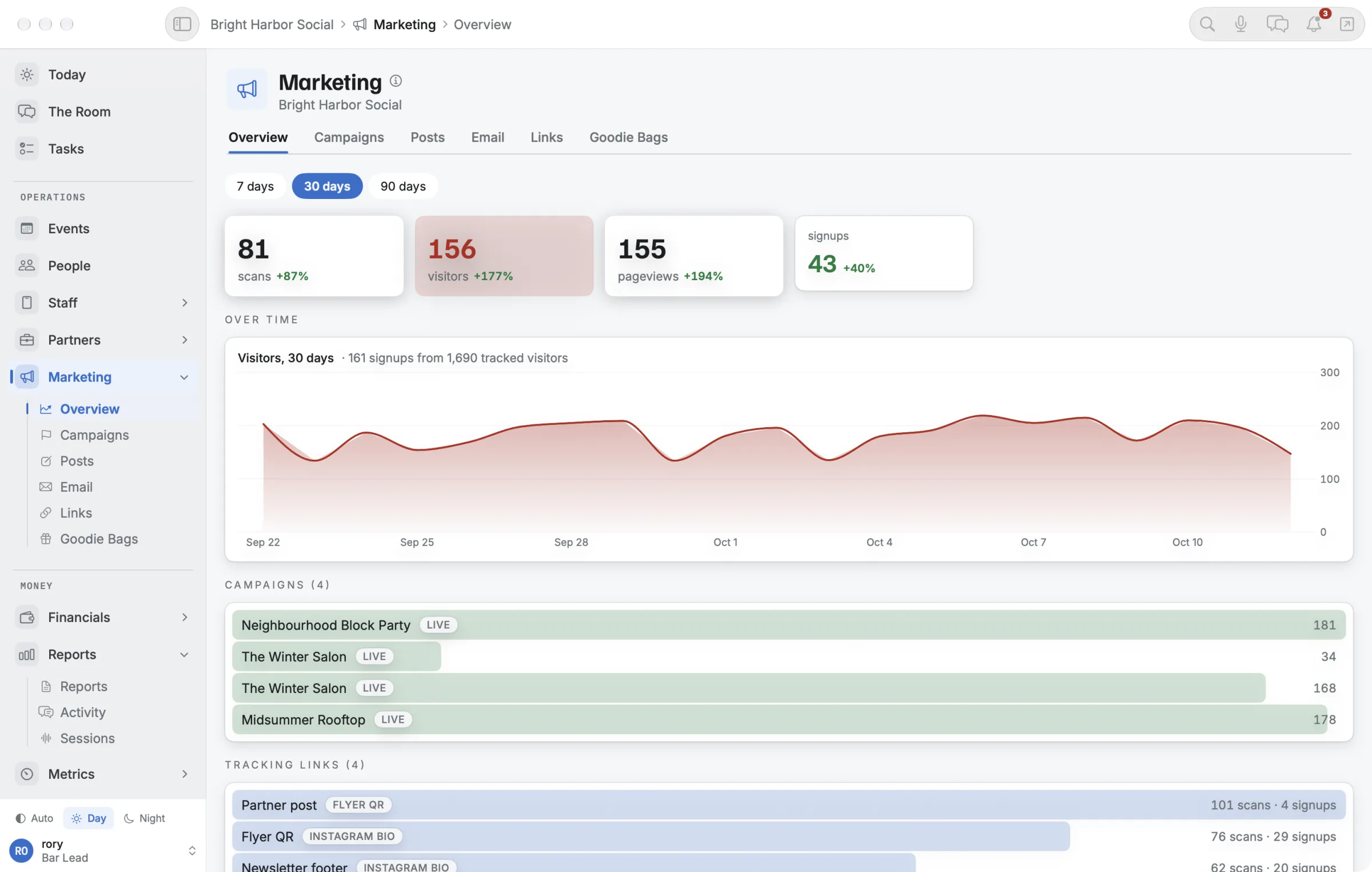
Marketing: visitors, sign-ups and campaigns.

Web

Any browser, for the whole team. And the pages your guests see: landing pages with sign-up, tickets with QR codes, surveys after the night.

It’s yours, and you can see everything it does.

  • Your own databaseEvery business gets its own, walled off from everyone else’s.
  • Your own addressyourname.belong-os.com, or your own domain.
  • Backed up nightlyAnd the backups are tested by actually restoring them.
  • The agent’s recordEvery change it made, every proposal, everything it remembers and where it learned it. Undo is one click.
  • Earned trustAfter ten approvals in a row it may ask to stop asking. Only an owner can say yes, and one undo takes it back.
The agent's record on the Mac: the ledger of what it changed, its proposals and what it knows.

The agent’s record, on the Mac

One plan while we pilot.

$500a month

Everything below, for your whole team. No ticket fees, no take rate, no per-seat pricing.

Request access
  • Mac, iPhone and web apps
  • Your AI teammate, named by you
  • Your own database, address and nightly backups
  • Every module: events, guests, partners, money, metrics
  • Set up with you, and updated as we ship

How billing works →

Who is BELONG for?

People who put on events for a living or for love: organizers and communities, venues that host them, and planners and agencies who run them for clients. If your week is guest lists, partners, a run of show and a budget, it was built for you.

What does the AI teammate actually do?

It sits in your team’s chat and answers from your own records: who’s coming, what’s overdue, how the last event did. It creates and updates tasks, reads the files you drop in, and turns a PDF or a spreadsheet of contacts into one approval card.

Anything else it wants to change, it proposes first and you approve. Every change it makes is written down with a way to undo it, and it can never edit its own permissions, your settings or your team list.

Do I need a Mac?

No. Everything works in any browser, and the iPhone app covers the day of. The Mac app is the fastest way to run the week if you have one. All three are included.

Can I sell tickets?

Not yet. Guests sign up on your landing page and get a ticket with a QR code that you scan at the door, and you name your own ticket tiers. Taking payment for tickets is not built yet, and there are no ticket fees.

Where does my data live, and can I leave?

Every business gets its own database and its own address. It is backed up every night and the backups are tested by restoring them. If you leave, your data comes with you.

How do I get started?

Request access and we read every request. You add a card at checkout and nothing is charged while we set your workspace up with you. Billing starts the day it goes live, or after 30 days, whichever comes first.

Doors at 18:30.
You’re ready.

We’re setting up a small number of businesses by hand. If you run nights like these, tell us about yours.